Nuitka 打包
--by DeadWood8
打包环境
OS: Windows11Python: 3.8.10rapidocr_onnxruntime: 1.2.0nuitka: 1.5.3onnxruntime: 1.14.0
打包步骤
Step 1: 安装 Nuitka
注:第一次安装会自动下载 mingw 和 ccache,也可以手动配置,自行某度。
Step 2: 修改源码
Note
rapidocr_onnxruntime>=1.2.8 以后不用再手动修改下面代码,已经做了修改。可以跳过该步。"
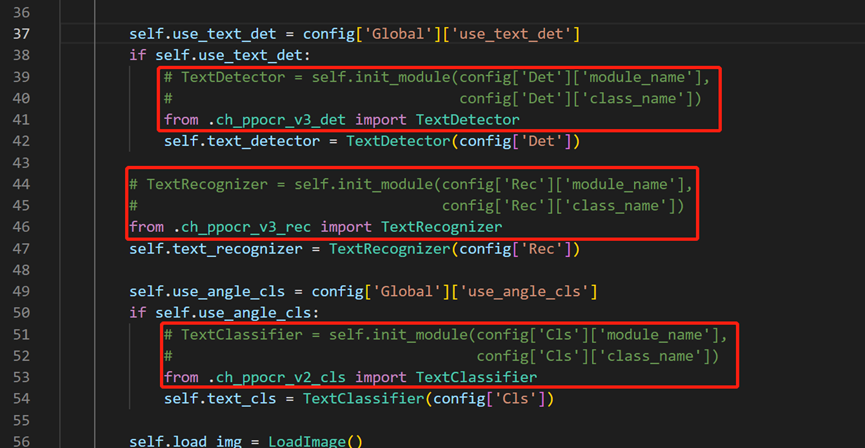
修改 rapidocr-onnxruntime 源码(修改后可以将所有依赖打包进文件)
进入 rapidocr-onnxruntime 安装位置,一般在 Lib\site-packages\rapidocr_onnxruntime 或者你设置的虚拟环境下。
用编辑器打开 rapid_ocr_api.py,对 39-52行 进行修改,如下图:
nuitka 打包
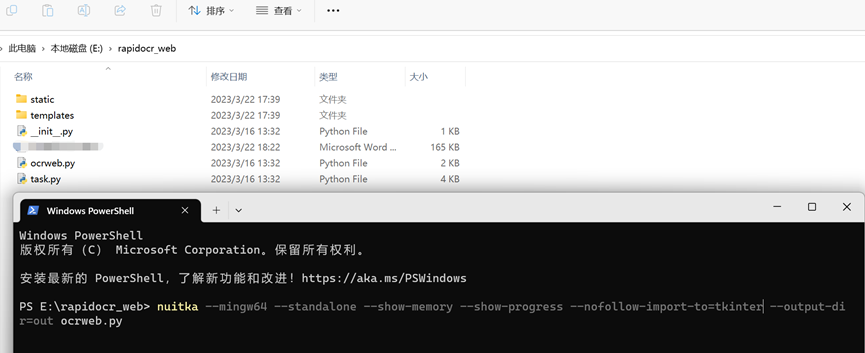
如下图所示:
Step 3:拷贝静态文件
打包后的文件位于当前位置的 out\ocrweb.dist 目录下,需要将 web 项目和 rapidocr-onnxruntime 相关文件拷贝到此目录。
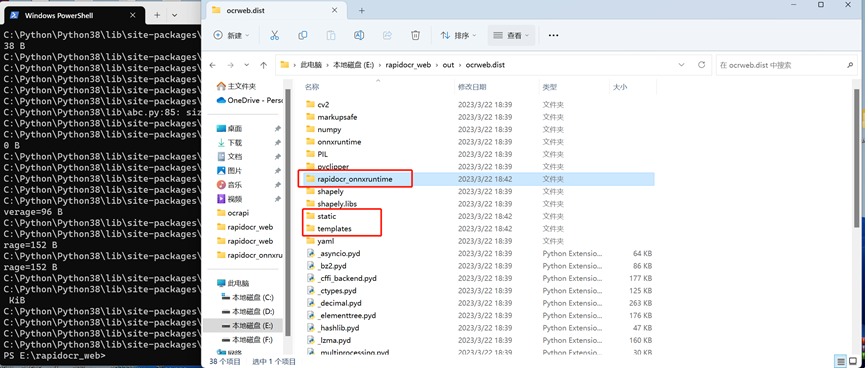
拷贝 rapidocr_web 目录 static 和 templates 两个文件夹全部拷贝到 out\ocrweb.dist 下
在 out\ocrweb.dist 创建 rapidocr_onnxruntime 文件夹,将 Lib\site-packages\rapidocr_onnxruntime 目录下的 config.yaml 和 models 文件夹拷贝到 out\ocrweb.dist\rapidocr_onnxruntime 文件夹内
Step 4: 运行程序
进入 out\ocrweb.dist,直接双击 ocrweb.exe 运行。
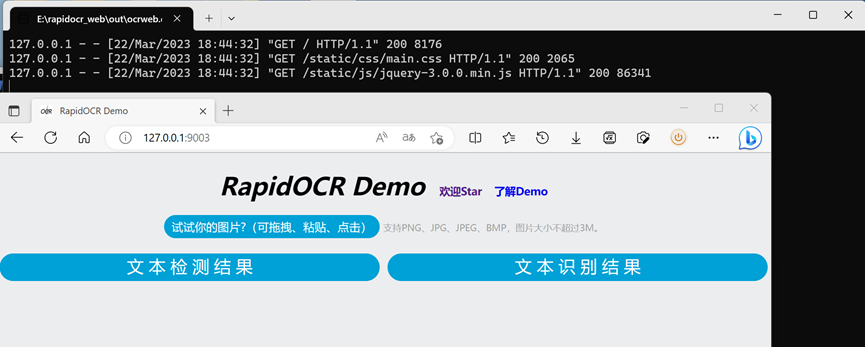
打包好的 exe 下载:百度网盘 | Google Drive | Gitee
补充
如果不想运行程序后有黑框,可以在打包命令中加入以下参数
--windows-disable-console
完整命令为: