Nuitka Packaging
--by DeadWood8
Packaging environment
OS: Windows 11Python: 3.8.10rapidocr_onnxruntime: 1.2.0nuitka: 1.5.3onnxruntime: 1.14.0
Packaging steps
Step 1: Install Nuitka
The first installation automatically downloads MinGW and ccache. You can also configure them manually.
Step 2: Modify the source
Note
Starting with rapidocr_onnxruntime>=1.2.8, the source below is already fixed and this step can be skipped.
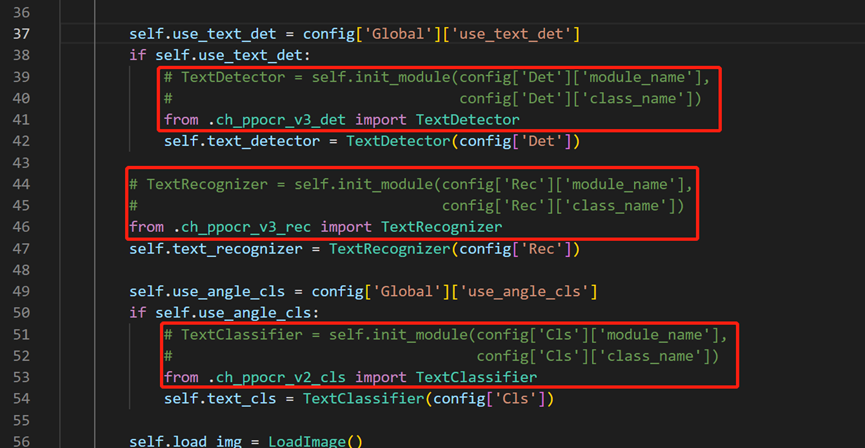
Modify the rapidocr-onnxruntime source so all dependencies can be packaged. Open rapid_ocr_api.py in the installed package (usually under Lib\\site-packages\\rapidocr_onnxruntime) and edit lines 39-52 as shown:
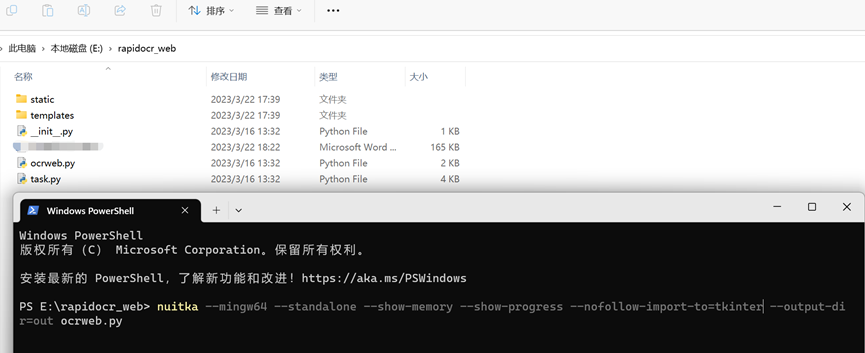
Package nuitka:
Step 3: Copy static files
The packaged files are in out\\ocrweb.dist. Copy the Web project and the required rapidocr-onnxruntime files into this directory.
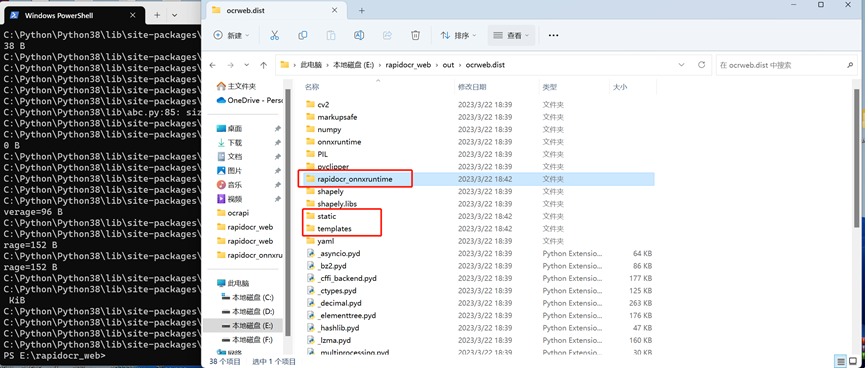
Copy the static and templates directories from rapidocr_web into out\\ocrweb.dist. Create out\\ocrweb.dist\\rapidocr_onnxruntime and copy config.yaml and the models directory from the installed package into it.
Step 4: Run the program
Open out\\ocrweb.dist and double-click ocrweb.exe.
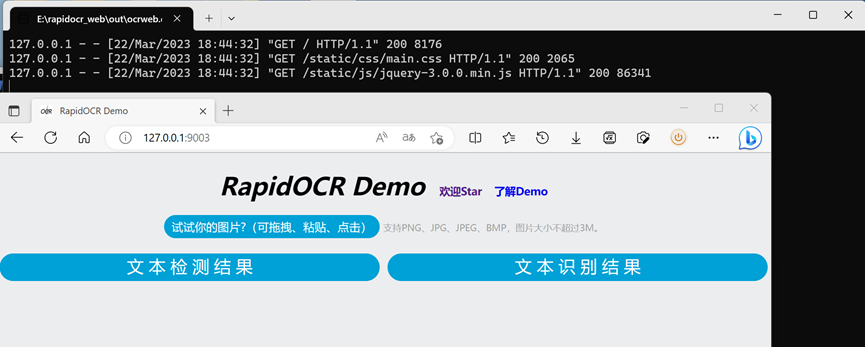
Download the packaged executable: Baidu Netdisk | Google Drive | Gitee
Additional note
To prevent a console window from appearing, add --windows-disable-console to the packaging command: