Skip to content

Multi-language Deployment

Overview

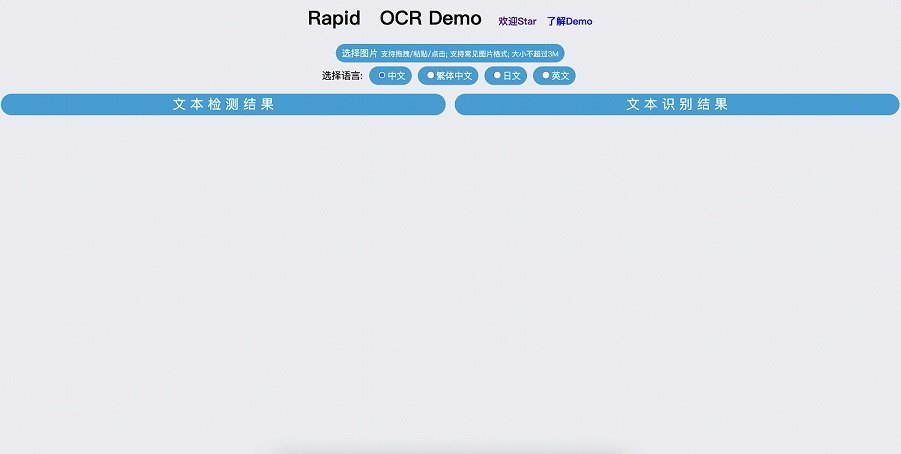
  • Supports multiple languages; configure the language and other inference parameters through API arguments.
  • Displays results with canvas to reduce backend processing and API data transfer.
  • Adds token validation to the inference API.
  • Includes a PyInstaller packaging script to simplify installation.
  • Example package: PyInstaller demo

Installation

  1. Clone the project:

    git clone -b main https://github.com/RapidAI/RapidOCRWeb.git
    
  2. Install the runtime environment:

    cd ocrweb_multi
    pip install -r requirements.txt -i https://pypi.douban.com/simple/
    

Run

  1. Download the models directory into the current directory.

    • Download: Baidu Netdisk | Google Drive
    • The final directory structure is:

      ocr_web_multi
          |-- README.md
          |-- build.py
          |-- config.yaml
          |-- main.py
          |-- main.spec
          |-- models
          |   |-- Multilingual_PP-OCRv3_det_infer.onnx
          |   |-- ch_PP-OCRv3_det_infer.onnx
          |   |-- ch_PP-OCRv3_rec_infer.meta.onnx
          |   |-- ch_ppocr_mobile_v2.0_cls_infer.meta.onnx
          |   |-- chinese_cht_PP-OCRv3_rec_infer.meta.onnx
          |   |-- en_PP-OCRv3_det_infer.onnx
          |   |-- en_PP-OCRv3_rec_infer.meta.onnx
          |   |-- japan_PP-OCRv3_rec_infer.meta.onnx
          |-- rapidocr
          |   |-- __init__.py
          |   |-- classify.py
          |   |-- detect.py
          |   |-- detect_process.py
          |   |-- main.py
          |   |-- rapid_ocr_api.py
          |   `-- recognize.py
          |-- requirements.txt
          |-- static
          |   |-- css
          |   |-- favicon.ico
          |   |-- hint.svg
          |   |-- index.html
          |   `-- js
          |-- utils
          |   |-- config.py
          |   `-- utils.py
          |-- wrapper.c
          `-- wrapper.rc
      
  2. Run main.py:

    python main.py
    
  3. Open http://127.0.0.1:8001. Enjoy!

ocr_web_multi_demo

Comments